 National
Parks Hub™
Most of a national park has no bars. A trip-planning app that only works with Wi-Fi is a website wearing an app icon. This one is built the other way around: everything you need at a trailhead is already on your phone before you get there.
It installs straight from your browser — no app store account, no waiting on a review. iPhone and Android app-store versions are on the way; everything below already works today, right now, in the app you can open this second.
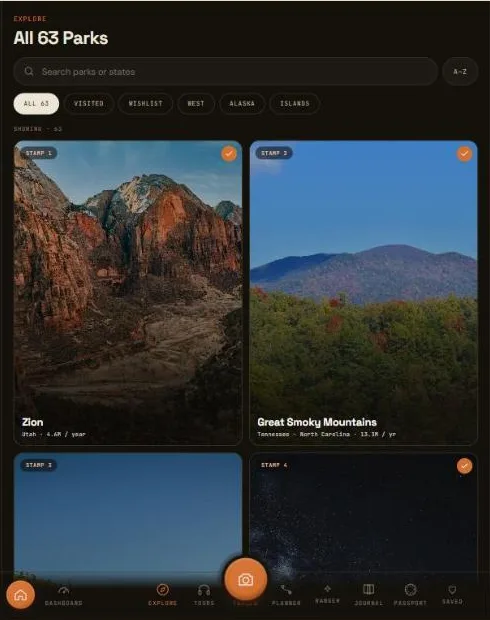
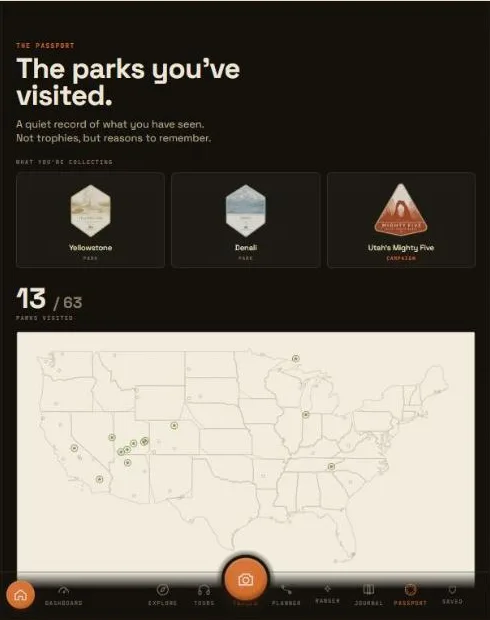
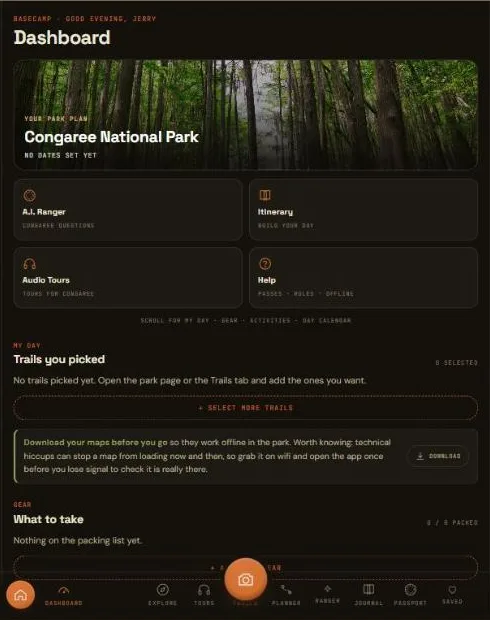
This wasn't bolted on after the fact. The trail screen was built compass-first: GPS and your own recorded track work with zero bars, because neither one has ever needed the network in the first place.
Offline trail maps and audio tour playback are Explorer features ($29.99/year). The trip planner, passport, and journal below are free to start.
Open a trail's map once, anywhere with a signal, and it's saved to your phone for good. The same goes for your tours and trip data: the week before a trip you've planned, the app quietly downloads that park's maps, trails, and tours in the background, so by the time you're standing at the trailhead there's nothing left to fetch.
A live compass card shows your real-time distance and bearing to the trailhead, backed by a breadcrumb trail that records your own path as you walk it — useful for backtracking exactly the way you came, all of it running on your phone's GPS alone.
GPS compass and distance-to-trailhead — no signal required, ever
Your own recorded breadcrumb track, saved to your phone as you walk
Topo maps, cached automatically the first time you open them
Trip itinerary, tours, and trail guides, pre-downloaded the week before a planned trip
A phone locks itself. A trail runs you out of battery. A signal drops mid-scroll. None of that should cost you your place in the app — so it doesn't.
Open a trail or a tour, lock your phone to save battery on a long hike, and when you come back the app reopens exactly where you left it — not bounced back to a list you already scrolled through once.
And if any one screen ever does hit a snag — a bad signal at the wrong moment, a feature still finding its feet — it recovers on its own, right there, without taking the rest of the app down with it. Your trip, your passport, and everything else keep working while that one screen gets back on its feet.
Your open trail or tour survives a phone lock, a low-battery restart, or the app being swapped away and back
One screen's hiccup stays contained to that screen — the rest of the app, and your data, stay untouched
Nothing about your trip, passport, or journal ever lives only in memory — it's saved as you go
A wrong pin at a real trailhead is worse than no pin at all. So every trailhead location in the app is checked against at least two independent sources before it ships — if it can't be verified, it isn't published as a guess.
Every coordinate is cross-checked before it goes live. Disagreements get flagged, never averaged into a made-up middle point.
The pin marks where you actually park and start walking — not the peak, arch, or overlook the hike leads to.
Ratings and mileage come from the park's own published guidance, not a crowd-sourced guess.
When a trail is currently closed or a permit rule has changed, that's noted plainly rather than left stale.
Trails and tours are the two screens this page is about. Here's how they sit alongside the rest of the app:
A stamp and badge for every one of the 64 parks, tracked automatically as you visit. Free.
Browse the catalog free. Playing a narrated stop-by-stop tour, saved for offline once opened, is an Explorer feature.
A real day-one itinerary for any park, built from live NPS data, free to preview.
Shoot with a color look built in, no editing after, and keep a running journal of where you've been. Free to start.
Free to start, no credit card, no app store account. Explorer adds offline trail maps and audio tours, so it keeps working long after the signal bars disappear.
Open The AppWorks in any browser · installs to your home screen in one tap